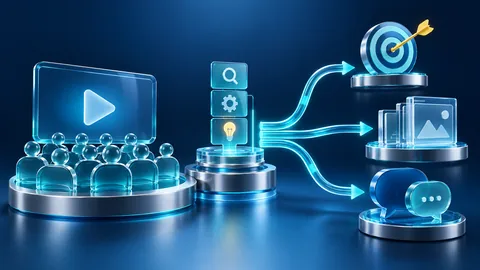

THE SHORT ANSWER
An expert webinar works best when attendees can do something specific afterward. Define that learning outcome, build a demonstration around it, and reserve time for questions that test understanding. Treat registration, captions, supporting material and follow-up as parts of the same learning experience, with a clear boundary between education and product discussion.
To see how this step fits into your content strategy, read the pillar guide B2B content marketing: From useful expertise to qualified demand.
Define one observable learning outcome
Write the outcome as an action rather than a topic: participants can identify the dependencies that affect a migration pilot. Determine what they already need to know. If your audience includes executives and hands-on implementers, decide which group the session primarily serves and provide optional supporting material for the other. A broad title can attract registrations while leaving everyone at the wrong level. Use the outcome to reject sections that are interesting but unnecessary. Explore this further in the guide SME interviews that turn expertise into useful editorial material.
Build a lesson sequence
Start with the problem, introduce the minimum concepts, demonstrate a method and give participants an opportunity to apply it. Distinguish what a speaker explains from what the audience sees. A technical diagram might require staged explanation rather than a long slide full of labels. Prepare transitions that state why the next step follows. Preserve enough time for the difficult reasoning instead of spending the opening on an extensive company history or a repeated agenda.
Assign facilitation responsibilities
Name a subject expert, a moderator and an owner for technical production; one person can hold multiple roles only when the workload allows. Agree how questions will be collected and which require follow-up. Prepare a response for questions outside the session scope. Rehearse handoffs and interruptions. A moderator should surface unclear explanations rather than protect every planned slide. Establish whether a product demonstration is educational evidence or a separate commercial segment, and label it accordingly.
Use a hypothetical demonstration
Imagine a fictional software team preparing a migration pilot. The presenter shows a deliberately incomplete dependency map and asks which missing relationship could change the pilot choice. Then they reveal the reasoning, including a plausible alternative answer. This is a teaching example, not a customer result. It gives attendees something to inspect and challenges the assumption that agreement in a live chat means understanding. Avoid requiring participants to reveal confidential architecture details to take part.

Plan accessible participation
Arrange captions and review how essential visual information will be described aloud. W3C media guidance distinguishes captions, transcripts and descriptions; these serve related but different needs. Make supporting material available in a usable form and explain how participants can ask questions without speaking. Check the planned platform workflow rather than assuming every attendance method behaves identically. Accessibility should influence the script and budget early, because an inaccessible live demonstration cannot be repaired for attendees by a later summary alone.
Rehearse the risky moments
Run the demonstration in a suitable environment, including the transition from slides to the application. Prepare a fallback recording or sequence of clearly labeled screenshots if a live dependency fails. Confirm that notifications and confidential information will not appear. Ask a colleague unfamiliar with the material to identify the moment they lost the thread. Cut content before compressing every explanation. A webinar that ends on time but rushes the central method has missed its educational purpose.
Close with evidence of learning
Review outcome, audience level, speaker roles, example labels, captions, visual descriptions, fallback assets and follow-up ownership before launch. At the end, ask a task-based question or offer a small exercise that reveals remaining uncertainty. Send resources aligned with those questions rather than a generic sales sequence. Report registrations and attendance separately from learning feedback and subsequent commercial conversations. None of these measures alone proves that the webinar caused a purchase or that all attendees understood the method. Explore this further in the guide Webinar follow-up: turn attendance into an appropriate next step.
INTERACTIVE / FROM READING TO ACTION
Three checkpoints for your implementation
Choose a checkpoint and track your reading progress. Checks are neither saved nor sent and do not score your business.
CHECKPOINT 01
Assign facilitation responsibilities
Name a subject expert, a moderator and an owner for technical production; one person can hold multiple roles only when the workload allows.
Explore in the article ↗CHECKPOINT 02
Use a hypothetical demonstration
Imagine a fictional software team preparing a migration pilot.
Explore in the article ↗CHECKPOINT 03
Plan accessible participation
Arrange captions and review how essential visual information will be described aloud.
Explore in the article ↗Frequently asked questions
How long should the webinar be?
Long enough to demonstrate and practice the defined task, with time for questions; rehearse before setting the final duration.
Should we include a product demo?
Yes when it serves the learning outcome; identify a separate sales segment explicitly.
Is an automatic transcript sufficient?
Review terminology and essential visual information. Captions and descriptive transcripts have different requirements.
How can I put “Define one observable learning outcome” into practice?
Write the outcome as an action rather than a topic: participants can identify the dependencies that affect a migration pilot. Determine what they already need to know. If your audience includes executives and hands-on implementers, decide which group the session primarily serves and provide optional supporting material for the other.
What matters when working on “Build a lesson sequence”?
Start with the problem, introduce the minimum concepts, demonstrate a method and give participants an opportunity to apply it. Distinguish what a speaker explains from what the audience sees. A technical diagram might require staged explanation rather than a long slide full of labels.